

Live demo
template-clarity.vercel.app
Source code
letsopencals/template-clarity (MIT)
Deploy to Vercel
One-click deploy
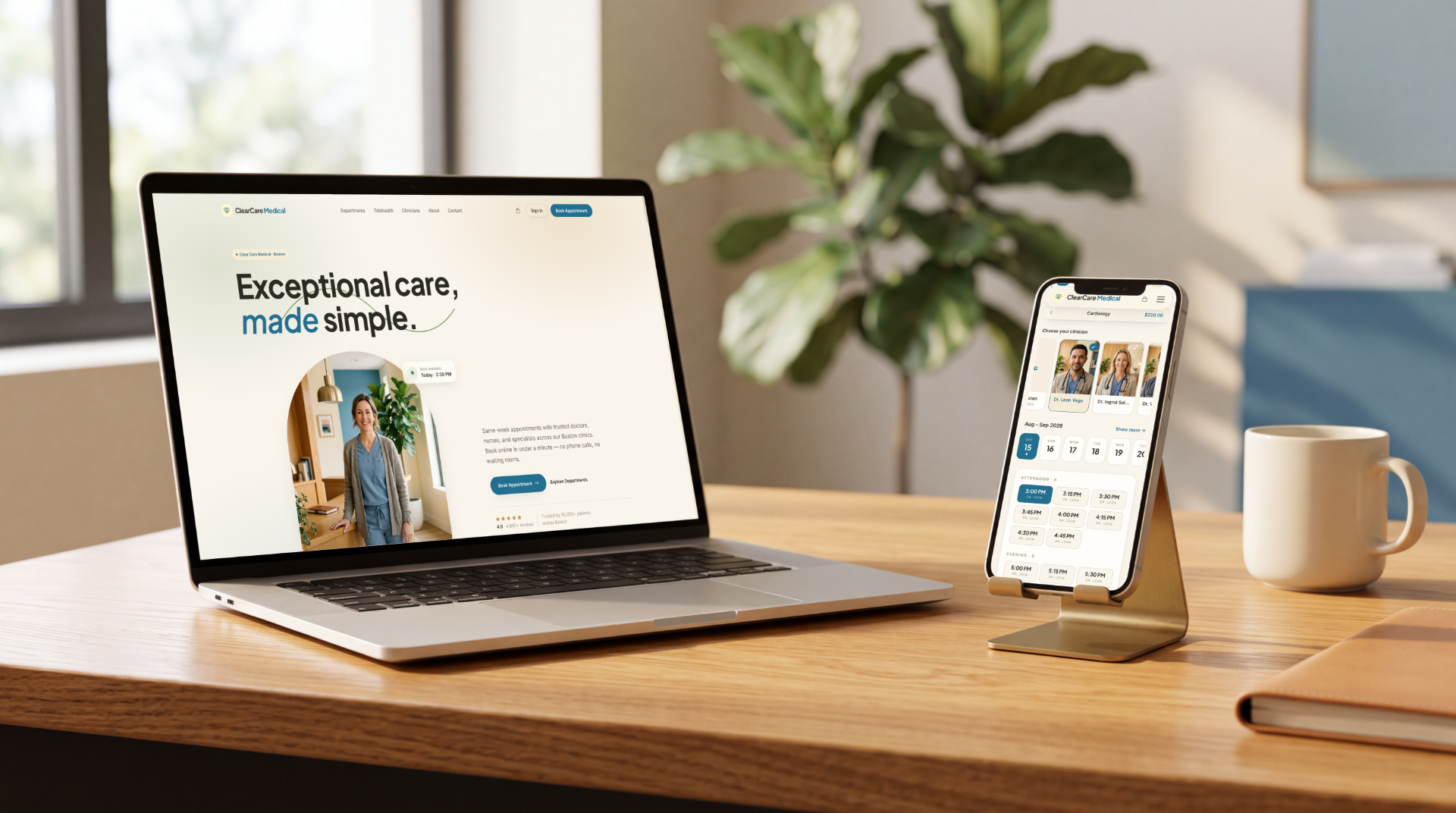
Clear Care — the storefront and booking flow, on desktop and mobile
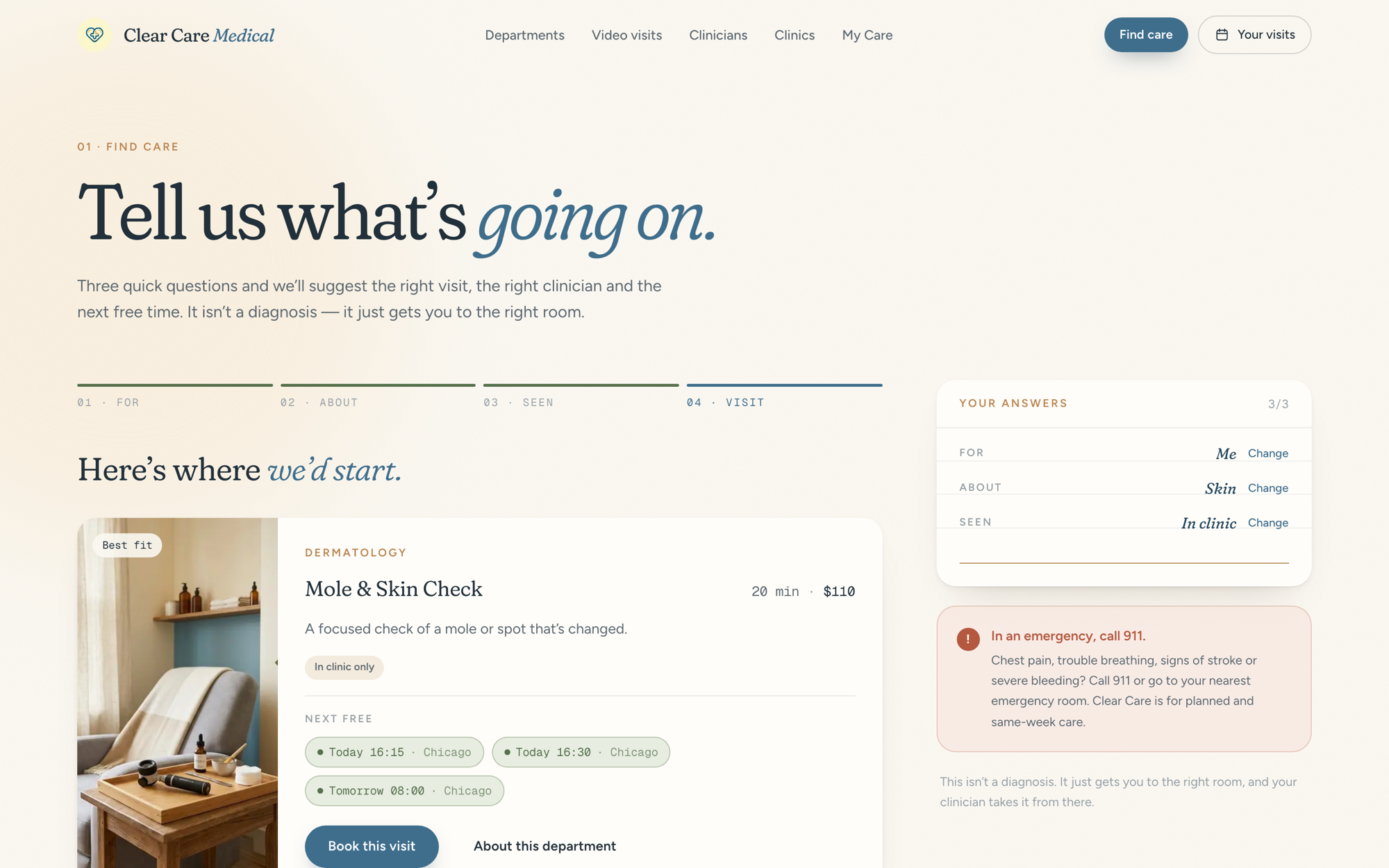
The Care Finder — a recommended visit with its next free times
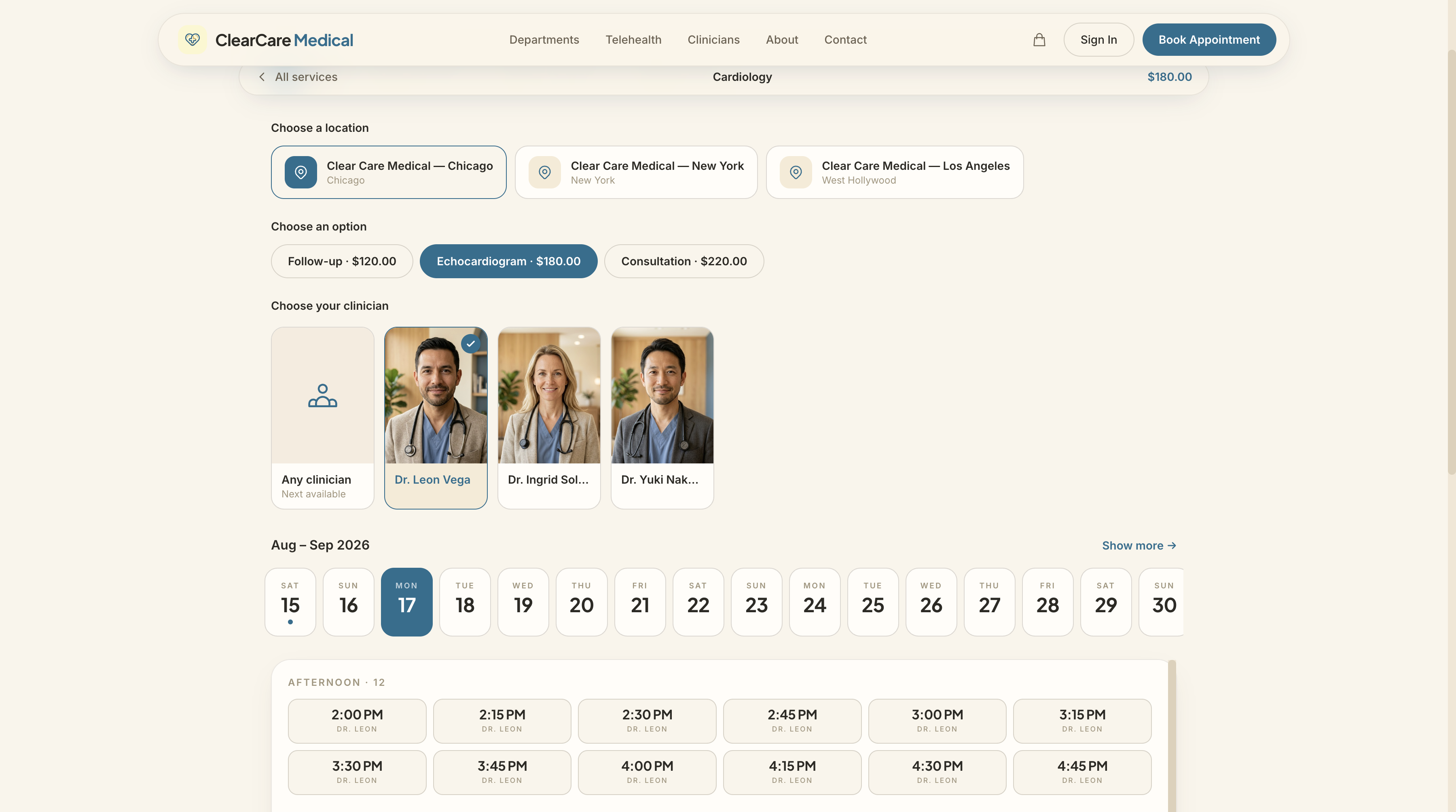
The booking composer — day ribbon, slots and the live appointment card
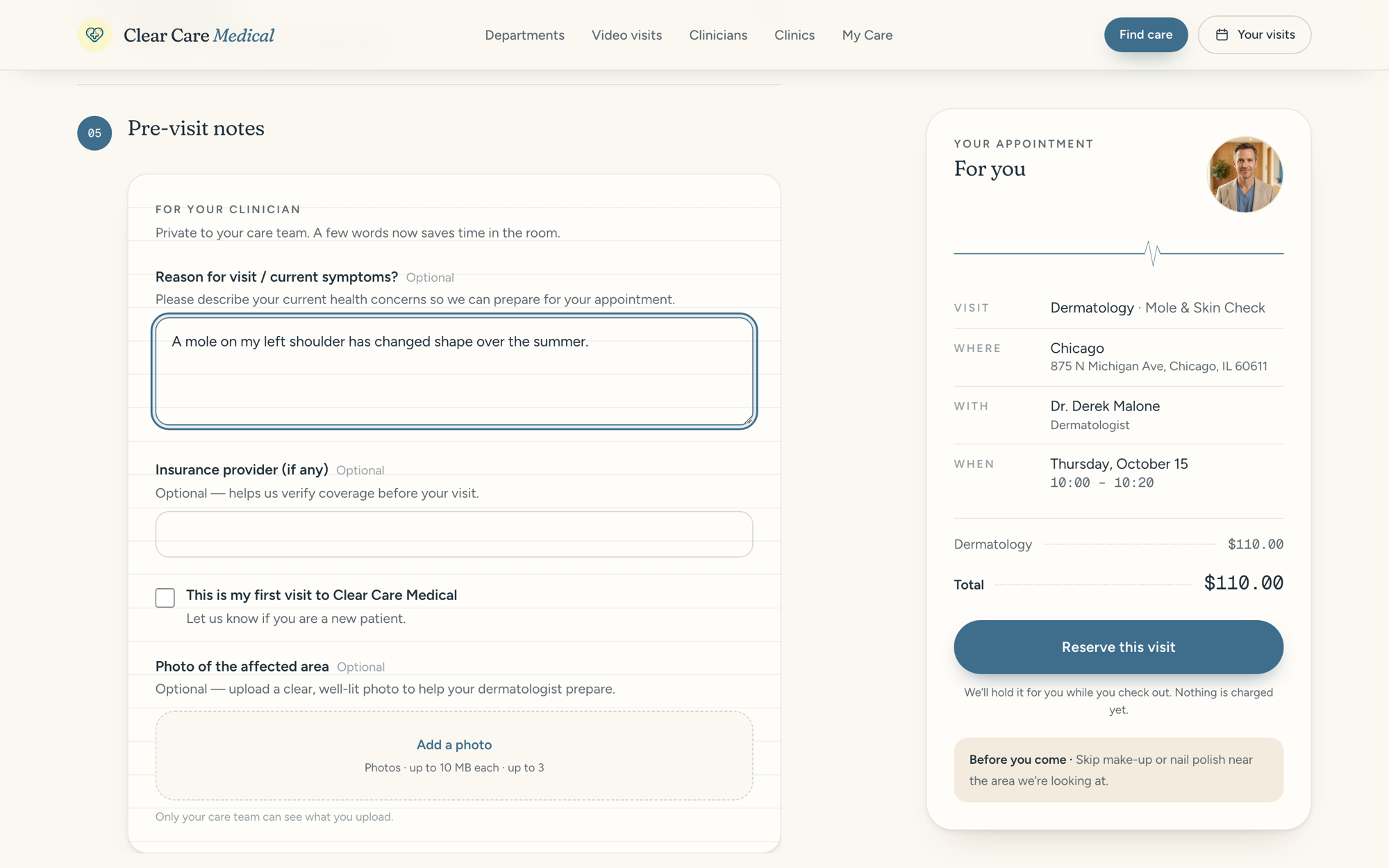
Pre-visit notes on lined paper, with photo upload
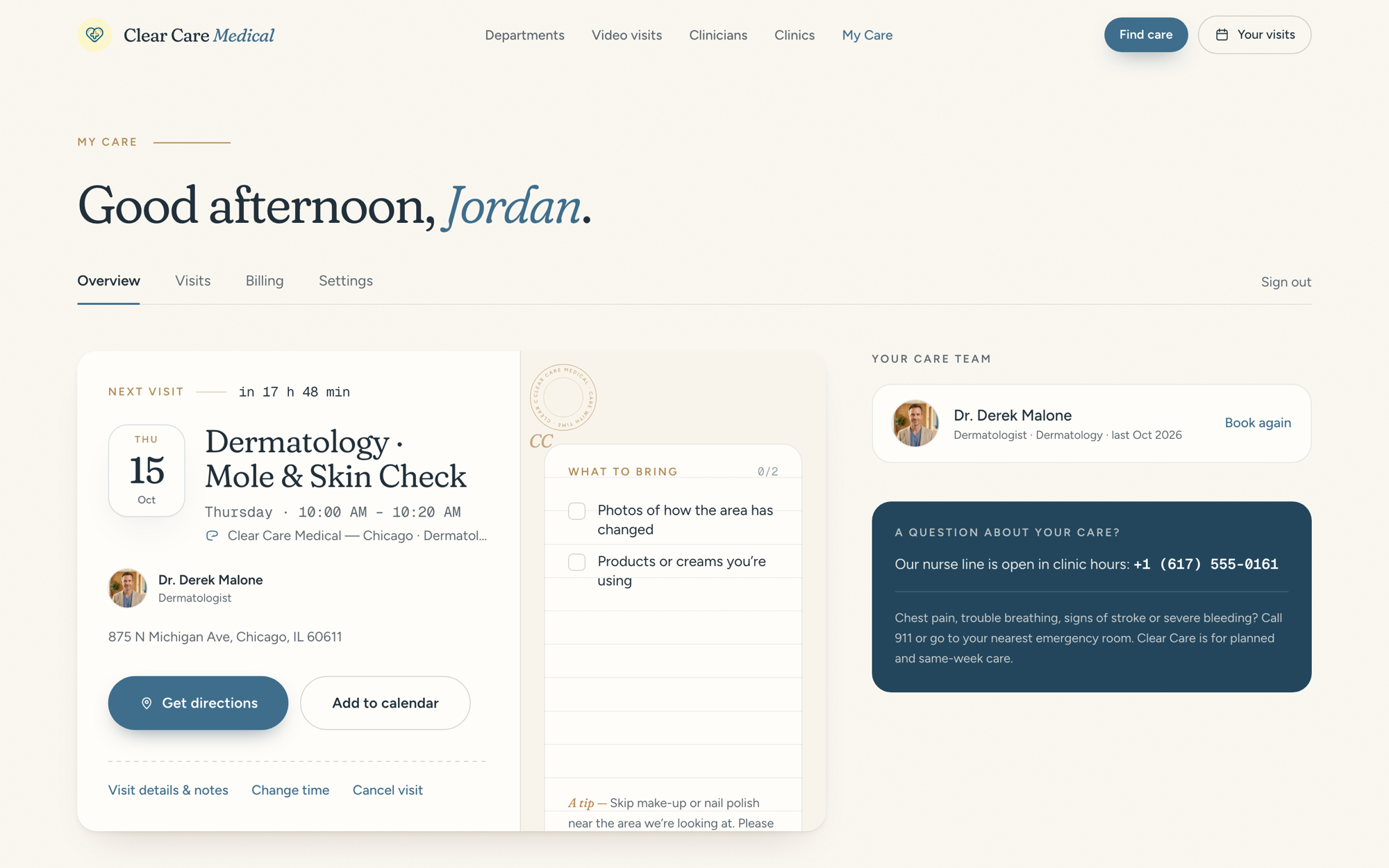
My Care — the next visit, prep checklist and care team
What’s inside
Get started
1
Clone and install
2
Add your API key
Create a store in the Opencals dashboard — choose the
Medical / Clear Care Medical dataset preset to seed the clinic’s
departments, services, clinicians and pre-visit questions — then grab a
private storefront key (
spk_, see API keys) and set it in
.env.local. Stores seeded before the “Visit for” and patient questions were
added still work, but book every visit for “Myself” until you reseed.3
Run it
4
Deploy
Push to your own repo and
deploy to Vercel,
or host anywhere Next.js runs.
Make it yours
MIT-licensed: rebrand it, restructure it, or use it as a starting point for client work. Clinic copy and knowledge (Care Finder needs, department content, prep lists, recalls, clinician bios) live inlib/site-config.ts,
intake mapping in lib/intake.ts, and every colour and font is a Tailwind v4
@theme token, with the full design contract in DESIGN.md. Agencies can run one codebase against multiple stores —
each deployment points at a different API key. To go deeper than theming,
follow the booking page tutorial to see the API
calls behind each screen.